Typical spend apps
Cloud dashboards, social proof walls, and endless charts that compete for attention.
With Pinch
A calm on-device picture. Your phone holds the context—by design.
iOS · On-device spend
Most spend apps pull your life into someone else’s dashboard. Pinch keeps the day-to-day picture on your iPhone—local data, email receipt matching, and quiet tips when a small change helps.
LOCAL All data stays on your device
Why Pinch
Typical spend apps
Cloud dashboards, social proof walls, and endless charts that compete for attention.
With Pinch
A calm on-device picture. Your phone holds the context—by design.
Generic “insights”
Vague coaching and gamified streaks that feel like every other fintech.
With Pinch
Quiet “small pinch” tips tied to what you actually spent—easy to act on or dismiss.
Receipts as afterthought
Purchases without context. You’re left guessing what that charge really was.
With Pinch
Email receipt matching when you want it—so Activity can show what a charge actually was.
Product
Not a wall of features—just the screens that make Pinch feel different.
01 · HOME
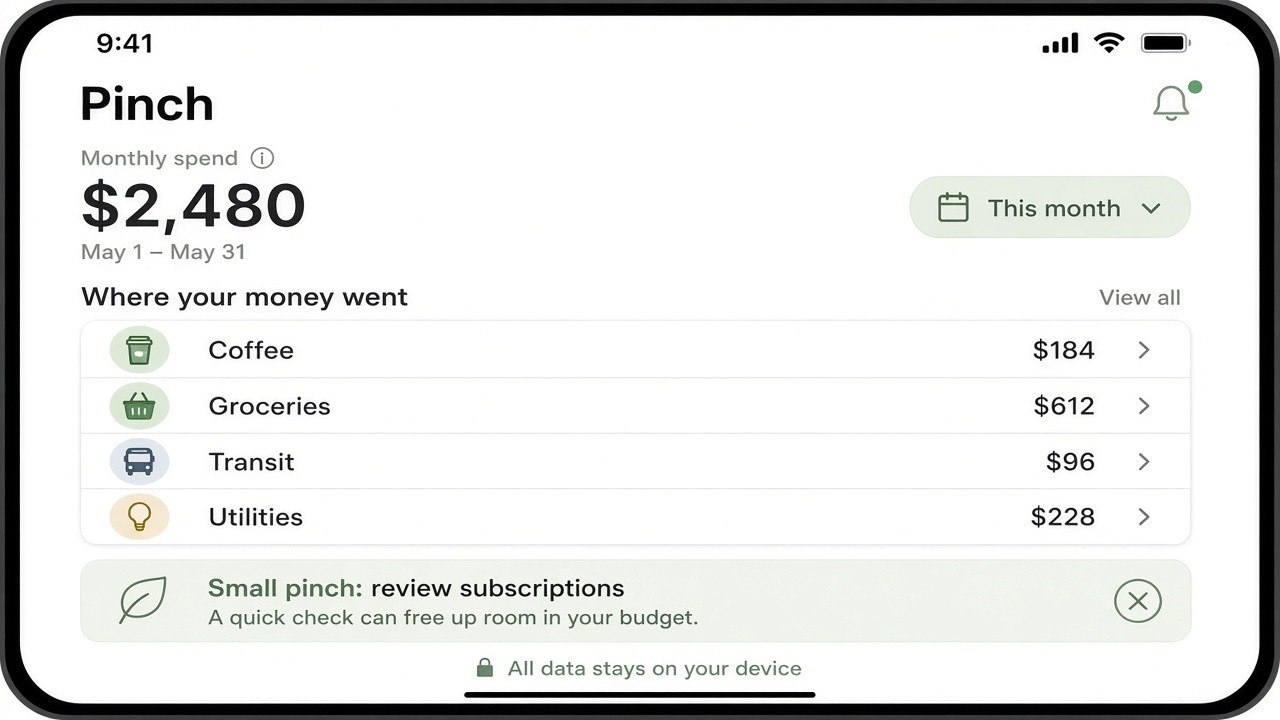
Monthly spend, a short list of where money went, and a single “small pinch” when something’s worth a look. Privacy sits in the chrome: data stays on device.
02 · ACTIVITY
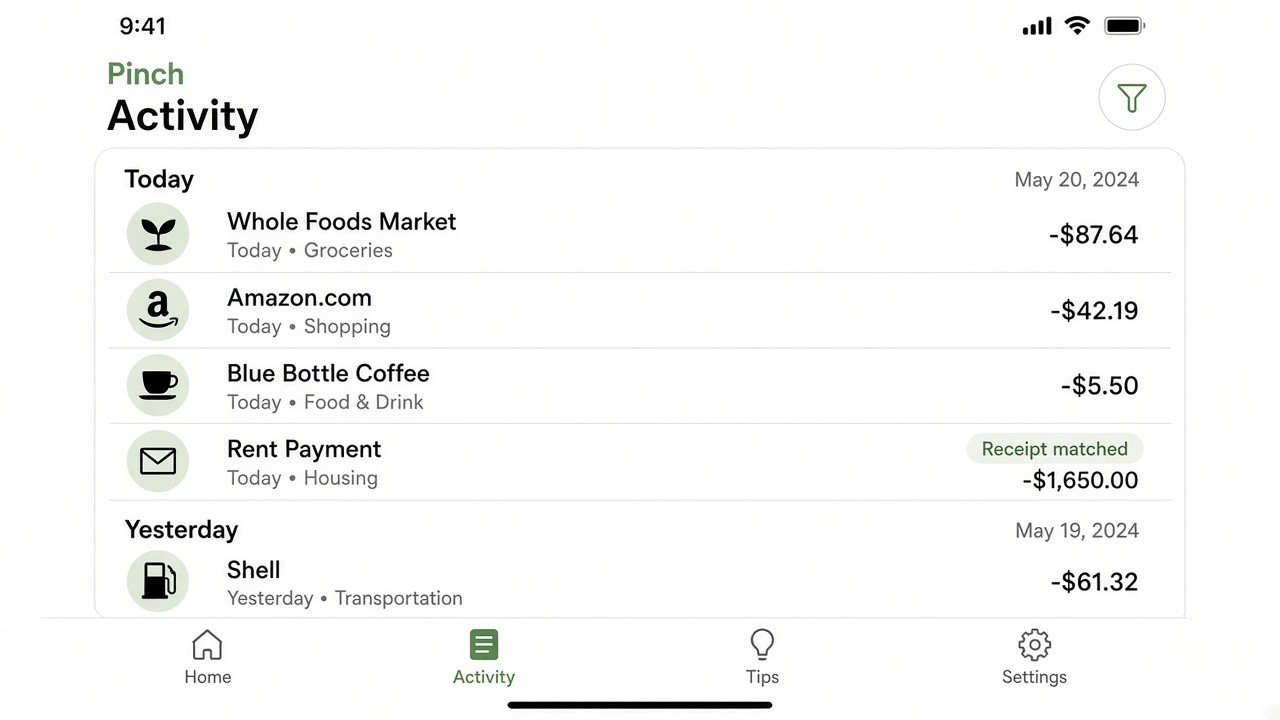
Activity is the timeline. When an email receipt matches, you’ll see it—so “Amazon” or “Whole Foods” isn’t a mystery line item.
03 · TIPS
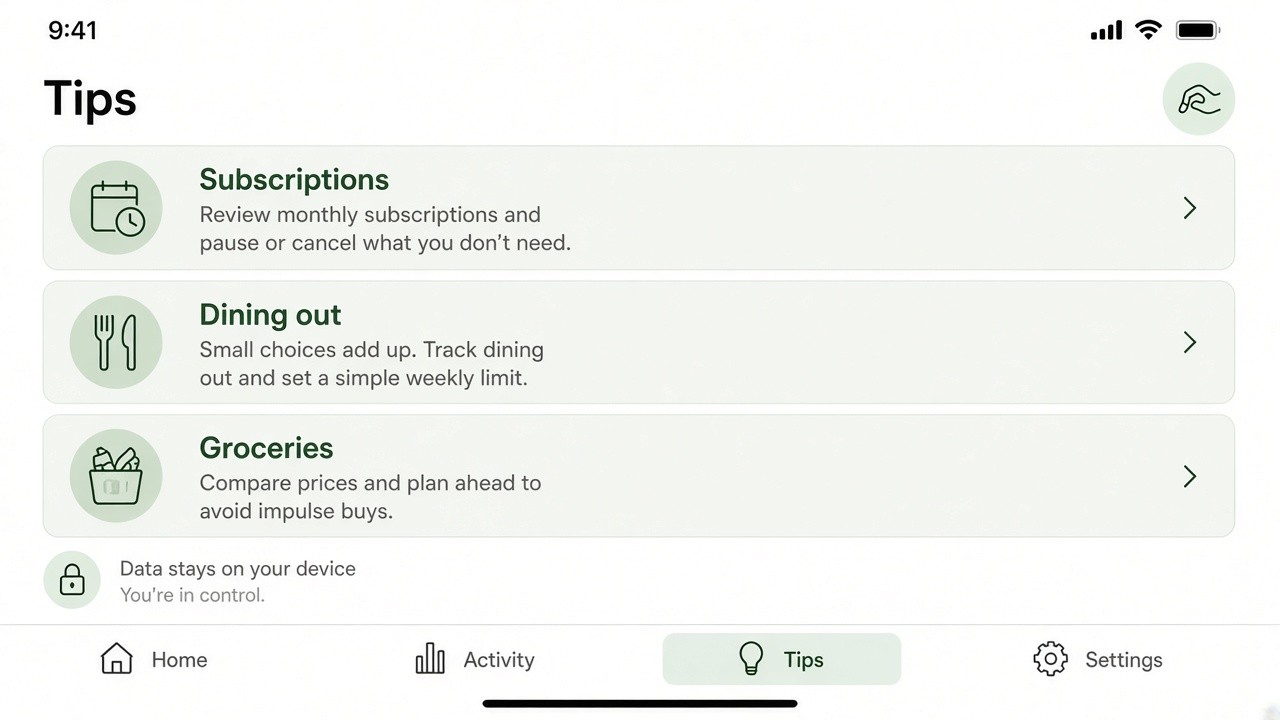
Subscriptions, dining out, groceries—short prompts you can open or ignore. No streaks. No shame score.
Privacy
Pinch is designed so your day-to-day money picture lives on your iPhone. This site stays honest: local data, email receipts, savings tips—no invented metrics, ratings, or download counts.

We’re preparing the iOS release. The link will land here when it’s ready.
App Store link TBD